 Echo
EchoHow Echo works
See how Echo works,
screen by screen.
Not a list of feature names. These are the real screens, in the order you meet them.
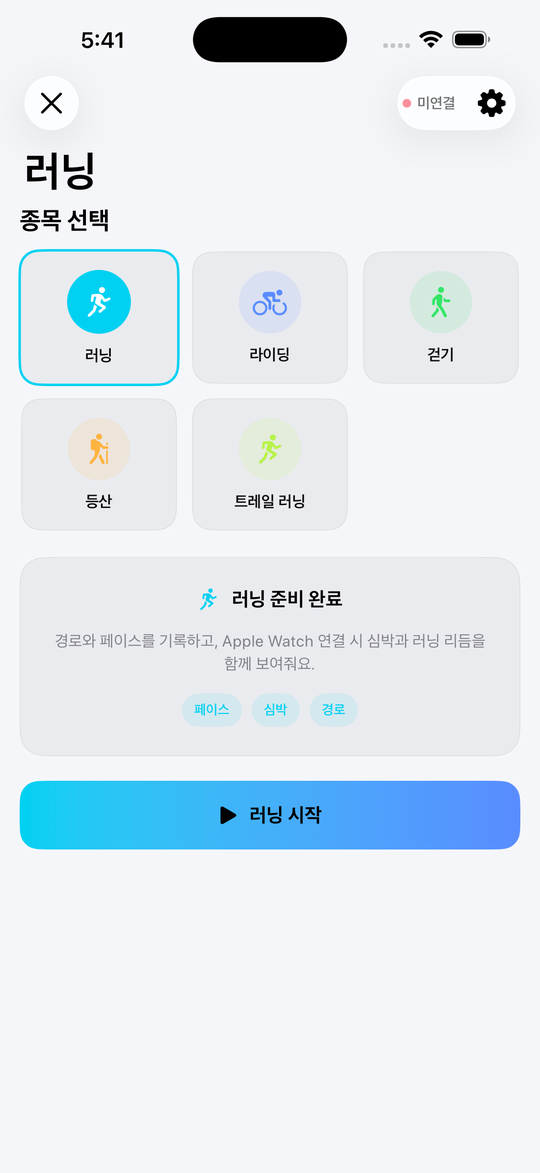
Getting started
Starting a workout
Pick a sport, press one button, and recording begins.
- Choose your sportRunning, cycling, walking, hiking or trail running.
- Check the connectionApple Watch connection status sits in the top right.
- Press startPace, heart rate and route recording begin immediately.
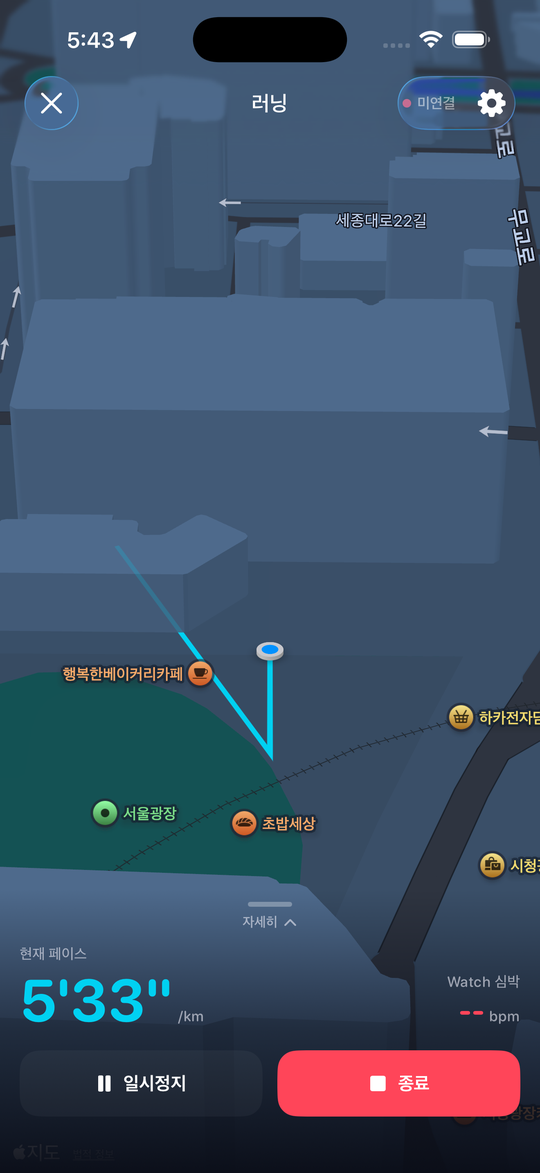
Live tracking
What you see mid-workout
The map and the numbers that matter. Everything else moves out of the way.
- Your route draws itselfThe path you have covered appears on a 3D map.
- Watch your current pacePace and Apple Watch heart rate sit together at the bottom.
- Pause or finishStop for a moment, or finish and the workout is saved straight away.
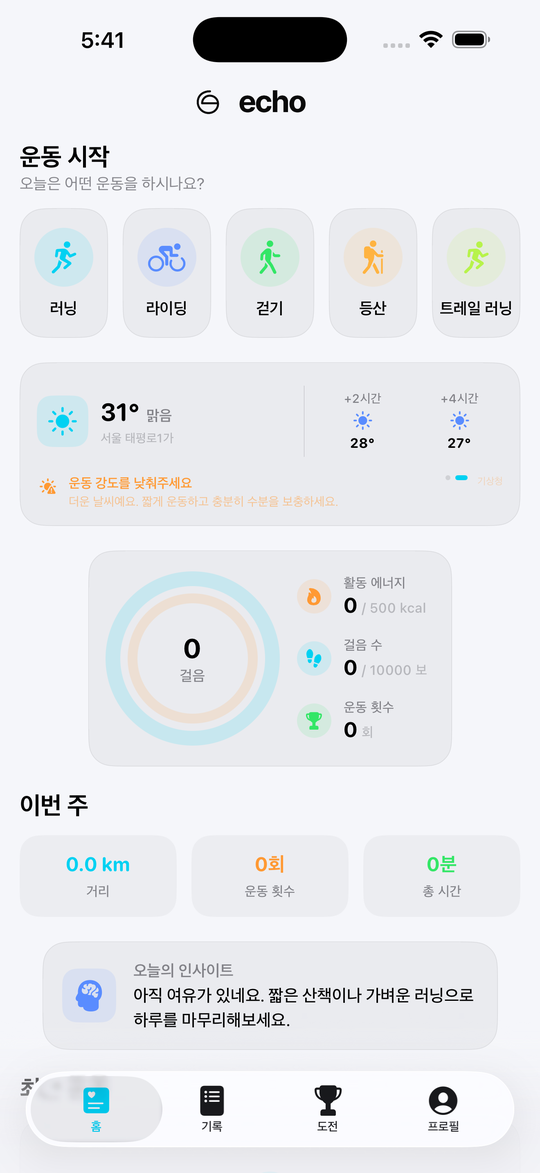
Today, at a glance
Check in from the home screen
Even on a rest day, one screen tells you where you stand.
- Start with the weatherThe local forecast and a workout intensity note.
- Read the activity ringsSteps, active energy and workout count together.
- Review the weekDistance, sessions and time, closed out by an Echo insight.
History and insight
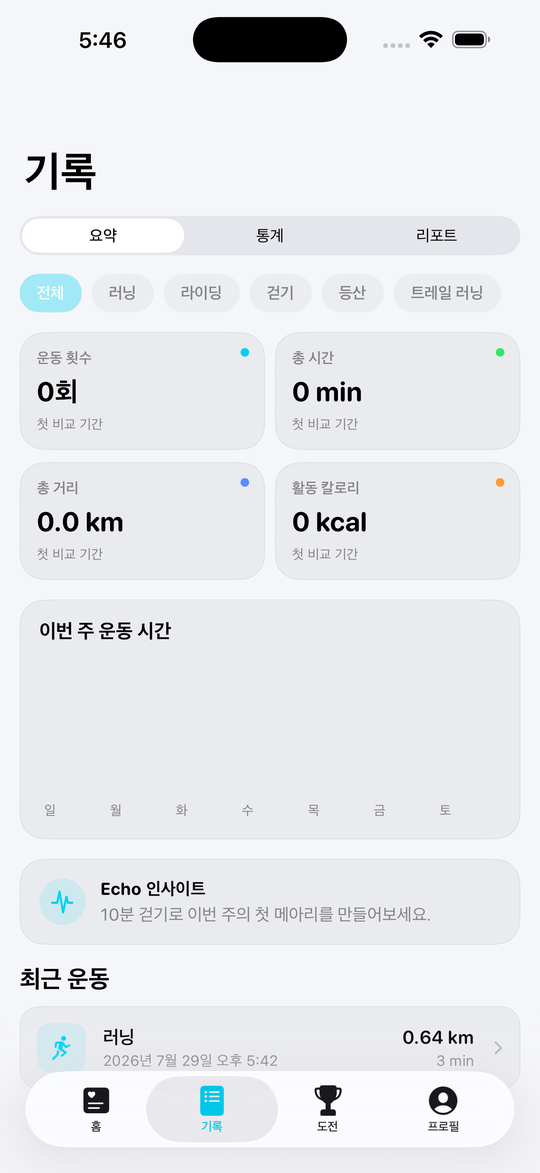
Find change in your record
Summary, statistics and report — three ways to read the same history.
- Switch the tabsSummary at a glance, statistics as a trend, reports by month.
- Filter by sportEverything at once, or one sport on its own.
- Open a workoutRoute, splits, elevation and personal-record badges.
Goals and challenges
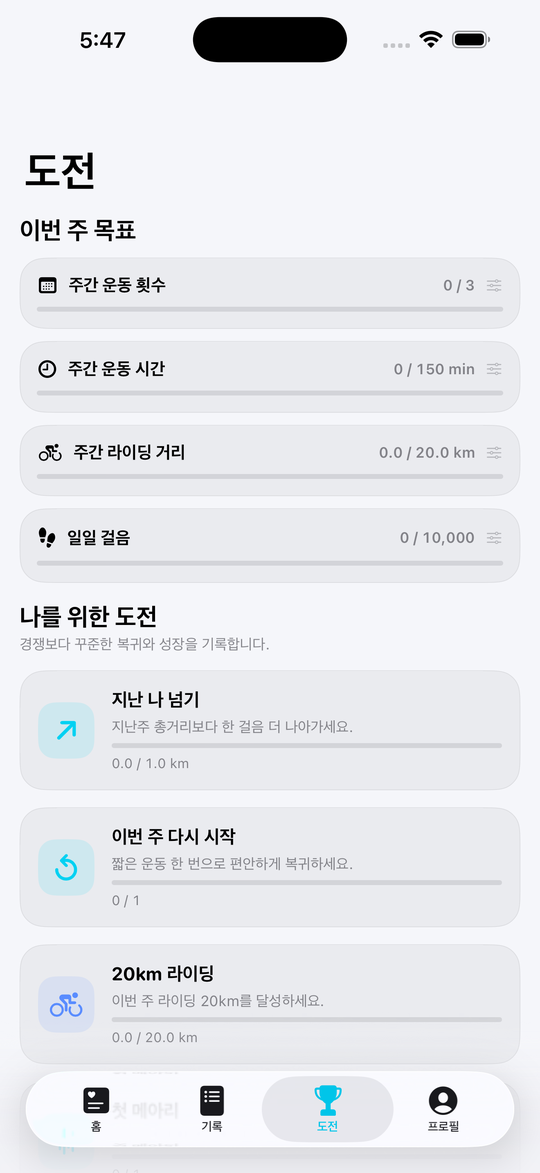
You set the goal
Challenges are built from your own history, not a stranger's ranking.
- Set this week's goalChoose sessions, time, distance or steps, then set the number.
- See challenges made for youPrompts such as “beat your last one” appear automatically.
- Watch the bar fillEvery card tracks its progress in real time.
Apple Watch
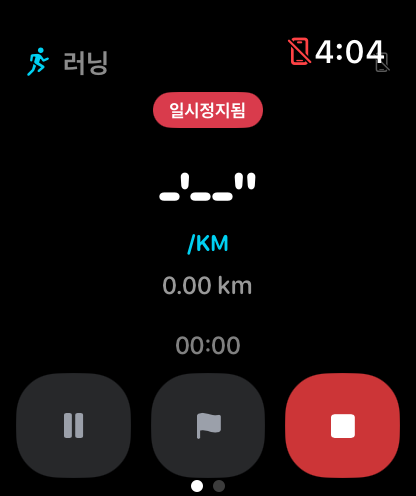
Leave your phone at home
Start and record a workout on Apple Watch alone.
- Start from the watchChoose a sport and GPS recording begins on the watch itself.
- Check it on your wristPace, distance and elapsed time, right there.
- Syncs to iPhoneFinish, and the workout appears in your iPhone history.
Get Echo
Start today
Available now for iPhone and Apple Watch. An Android version is in preparation.
Download on theApp StoreComing soonGoogle Play